Can't get stereo 1 and 2 input option on Cubase

  • Thread starter Thread starter Ali666
  • Start date Start date
A

Ali666

New member
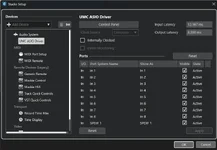
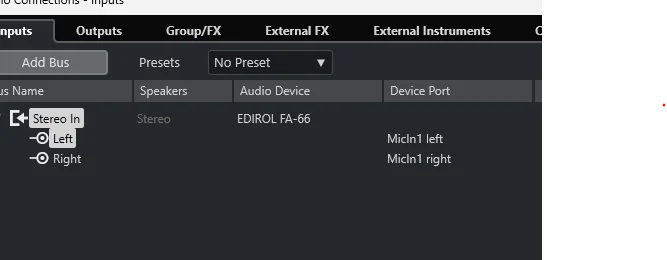
First post and thanks in advance. I've been using Cubase for years. Currently on version 13. For some reason I can't get the option of Stereo 1 and 2 in the Studio set-up Input and therefore can't get my external keyboard to play. It comes up with the option in the attached pics and when I click on these device ports it gives me stereo 3 and 4 as options but no 1 and 2.. Apologies if I'm missing something obvious but I've been googling and watching Youtube solutions for a few days now but to no avail. Any help appreciated.
Screenshot cubase.webp
 
I just looked at pictures of the front and rear of your interface.
I see that inputs 3 and 4 are phono sockets on the rear.
I also see a 'mono' button on the front.
It could be that you have that 'mono' button enabled, so that the two front inputs cannot be stereo.
The first available stereo pair would be 3 and 4.
 
Go to the studio settings tab and see if the ins and outs are enabled - the audio connections tab only allows you to enable what the other tab has as active.
 

Attachments

  • Screenshot 2026-10-23 132918.webp
    Screenshot 2026-10-23 132918.webp
    26.7 KB · Views: 52
Your screenshot already shows a stereo bus: “Stereo In”, with “MicIn1 left” and “MicIn1 right” assigned underneath it. The device-port names do not have to literally say “Stereo 1 and 2”. The next check is whether those ports receive the keyboard’s audio.

One detail about the earlier suggestion: the FA-66’s Mono switch affects direct monitoring. Roland says on page 12 that the signal sent to the computer remains stereo even with that switch set to Mono: https://static.roland.com/assets/media/pdf/FA-66_OM.pdf#page=12

After Rob’s port check, select Stereo In as the input of a stereo audio track and record a short keyboard test. Does its input meter move on either side? If not, a picture of the FA-66 ports in Studio Setup, plus which keyboard outputs connect to which interface inputs, would help distinguish a routing problem from a missing signal.
 
They wanted to know so badly .......... they haven't been back to read the responses.
 
Back
Top